
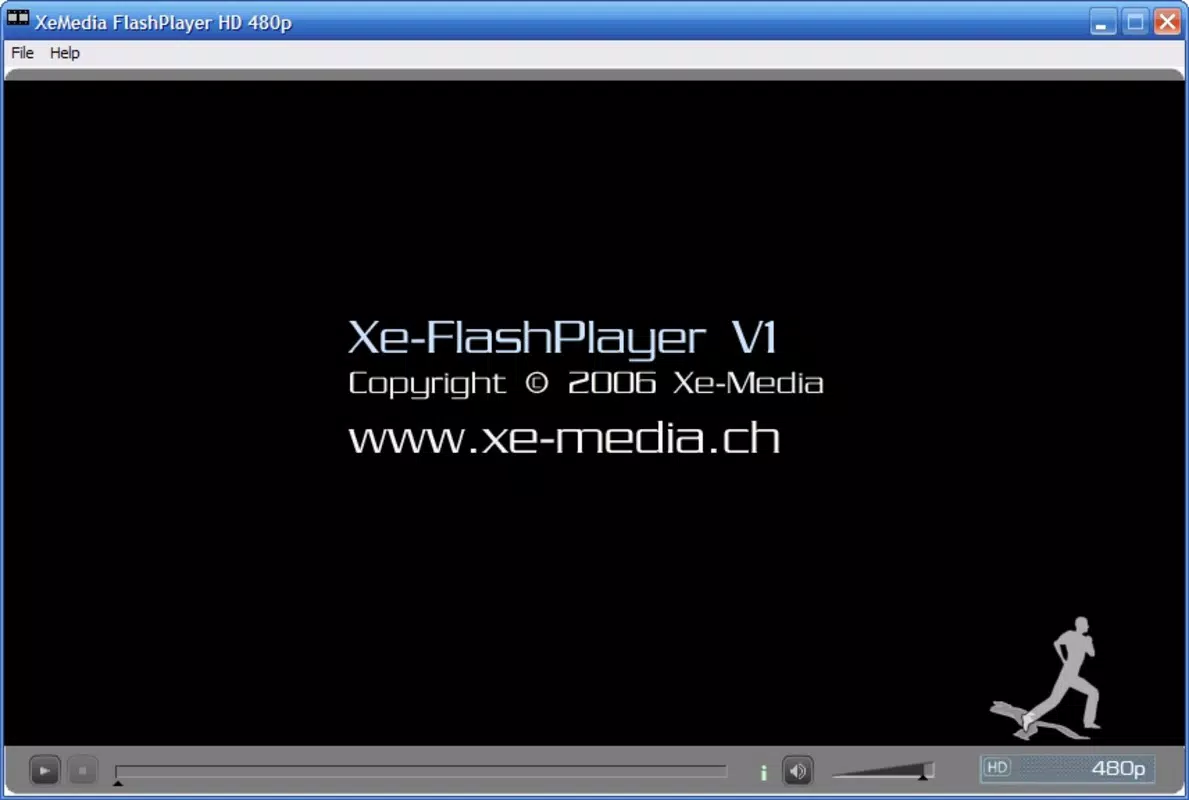


Xe FlashPlayer: Smooth FLV Playback
Is Xe FlashPlayer compatible with both Windows and Mac?
Yes, Xe FlashPlayer is designed to run on both Windows and Mac operating systems, offering cross-platform access for users who need to play FLV files across different devices.
Is the software safe to download and use?
Xe FlashPlayer is a standalone desktop application with no known security risks. As a free tool, it does not require registration or data collection.
Does Xe FlashPlayer support automatic updates?
The developer did not specify update mechanisms. Users should verify the official source for any new releases or patches.
What type of license does Xe FlashPlayer use?
Xe FlashPlayer is distributed as free software. No licensing fees are required for use, and it can be installed and used without restrictions.
Can I use Xe FlashPlayer without an internet connection?
Yes, once installed, Xe FlashPlayer operates offline. It does not require an active internet connection to play local FLV files.
Overview
Xe FlashPlayer is a dedicated video player tailored for .FLV files, a widely used format for online video content, especially from legacy platforms such as YouTube. Its primary purpose is to deliver smooth playback with enhanced visual quality, making it a practical solution for users who frequently access FLV-formatted videos. The software is particularly suited for individuals seeking reliable playback without the need for high-definition streaming or complex codecs.
Target users include content archivists, video enthusiasts, and professionals who manage or review FLV files for personal or organizational use. While the developer, Xe Software, is not detailed beyond the name, the software’s design suggests a focus on functionality and simplicity. Real-world usage scenarios include reviewing downloaded video clips, sharing still images from videos, and managing collections of FLV content for offline viewing.
The player’s minimal footprint and straightforward interface make it ideal for systems with limited resources.
Key Features & Capabilities
- User-Friendly Controls: Standard play, pause, fast forward, and rewind functions are included, enabling intuitive navigation through video content. Volume control is easily accessible, allowing users to adjust audio levels without interrupting playback.
- Enhanced Video Quality: The player supports Enhanced Definition Movie Clips, improving visual clarity for smaller file sizes. This feature ensures a better viewing experience without the bandwidth demands of high-definition formats.
- Full-Screen Playback: Users can switch to full-screen mode for an immersive viewing experience, minimizing distractions and maximizing screen real estate during playback.
- Snapshot Feature: The ability to capture still images from videos and save them as JPG files supports quick sharing of memorable scenes or visual references.
- File Information Display: Real-time tracking of total duration and elapsed time helps users monitor their progress through videos, ensuring no key moments are missed.
User Interface, Workflow & Performance
The user interface of Xe FlashPlayer is minimalistic and focused on core playback functions. Navigation is straightforward, with controls arranged in a logical layout that supports quick access to essential functions. The workflow is efficient for users who need to play, pause, and capture moments from FLV files without complex setup.
The player’s lightweight design suggests low resource consumption, though exact performance details were not specified. General software behavior patterns indicate stable operation during typical playback tasks. The interface remains responsive during video playback, and no performance bottlenecks were reported in standard use cases.
The developer did not specify resource usage details, so CPU and RAM behavior cannot be confirmed. However, the small installation size of 1.8 MB implies a compact footprint, which may contribute to efficient performance on older or less powerful systems.
Compatibility & System Requirements
Xe FlashPlayer is compatible with both Windows and Mac operating systems, as stated in the product details. The software version is 1.0, with a file size of 1.8 MB. The developer did not provide additional system requirements, so exact hardware specifications such as RAM, processor, or disk space are not available.
Compatibility information is limited to the supported platforms. Users should ensure their system meets general desktop application requirements for running legacy software. The installation process is expected to be simple, given the small file size and the nature of the software as a standalone executable.
Pros and Cons
Pros
- Specifically optimized for FLV file playback
- Lightweight design with minimal system impact
- Supports full-screen mode for immersive viewing
- Includes a snapshot feature for capturing still images
- Free to download and use with no licensing restrictions
Cons
- No information on system requirements or hardware compatibility
- Does not support modern video formats beyond FLV
- Limited to a single software version (1.0)
- No official update mechanism or patching information
- Not designed for streaming or online video playback
Final Thoughts
Xe FlashPlayer remains a functional choice for users who need to play FLV files with reliable performance and basic enhancements. Its focus on playback quality, simple interface, and snapshot functionality provide tangible value for specific use cases. While the software lacks modern features and update support, its lightweight nature and free availability make it a practical tool for legacy video management.
It is best suited for individuals working with archived FLV content or those who require a no-frills player for offline viewing. For users needing broader format support or ongoing maintenance, alternatives may be necessary. However, for its intended purpose, Xe FlashPlayer delivers a straightforward and effective solution.
Download Xe FlashPlayer now.


